Businesses today handle hundreds of repetitive tasks across departments, from managing customer enquiries and processing documents to generating reports and coordinating internal approvals. When these activities depend heavily on manual work, they can slow down operations, increase costs, and create unnecessary delays.
Generative AI business automation is changing how organizations manage these processes. Instead of relying only on fixed instructions and predefined rules, businesses can use AI systems to understand information, generate content, summarize data, recommend actions, and coordinate multiple workflow steps.
With the right implementation, Generative AI workflow automation can connect different business activities into a more efficient process—from receiving a request to completing a task and recording its outcome.
In this guide, we explore how Generative AI automates business workflows from start to finish, its applications across departments, key benefits, implementation steps, challenges, and the future of intelligent business operations.
What Is Generative AI Business Workflow Automation?
Generative AI business workflow automation is the use of artificial intelligence models, workflow engines, APIs, and business applications to automate tasks that involve understanding information, creating content, processing data, and supporting decisions.
Traditional automation generally follows predefined instructions. For example, a system may send an email whenever a customer submits a form. Generative AI can take this further by understanding the customer's message, identifying the reason for the enquiry, preparing a relevant response, and directing the request to the appropriate team.
A typical solution may combine:
Large Language Models (LLMs) to understand and generate natural language.
Natural Language Processing (NLP) to interpret messages and documents.
Machine Learning (ML) to identify patterns and support predictions.
Workflow orchestration tools to coordinate tasks across systems.
APIs and integrations to exchange information between applications.
Human-in-the-loop controls to review sensitive or important decisions.
The result is a connected workflow that can handle more than one isolated task.
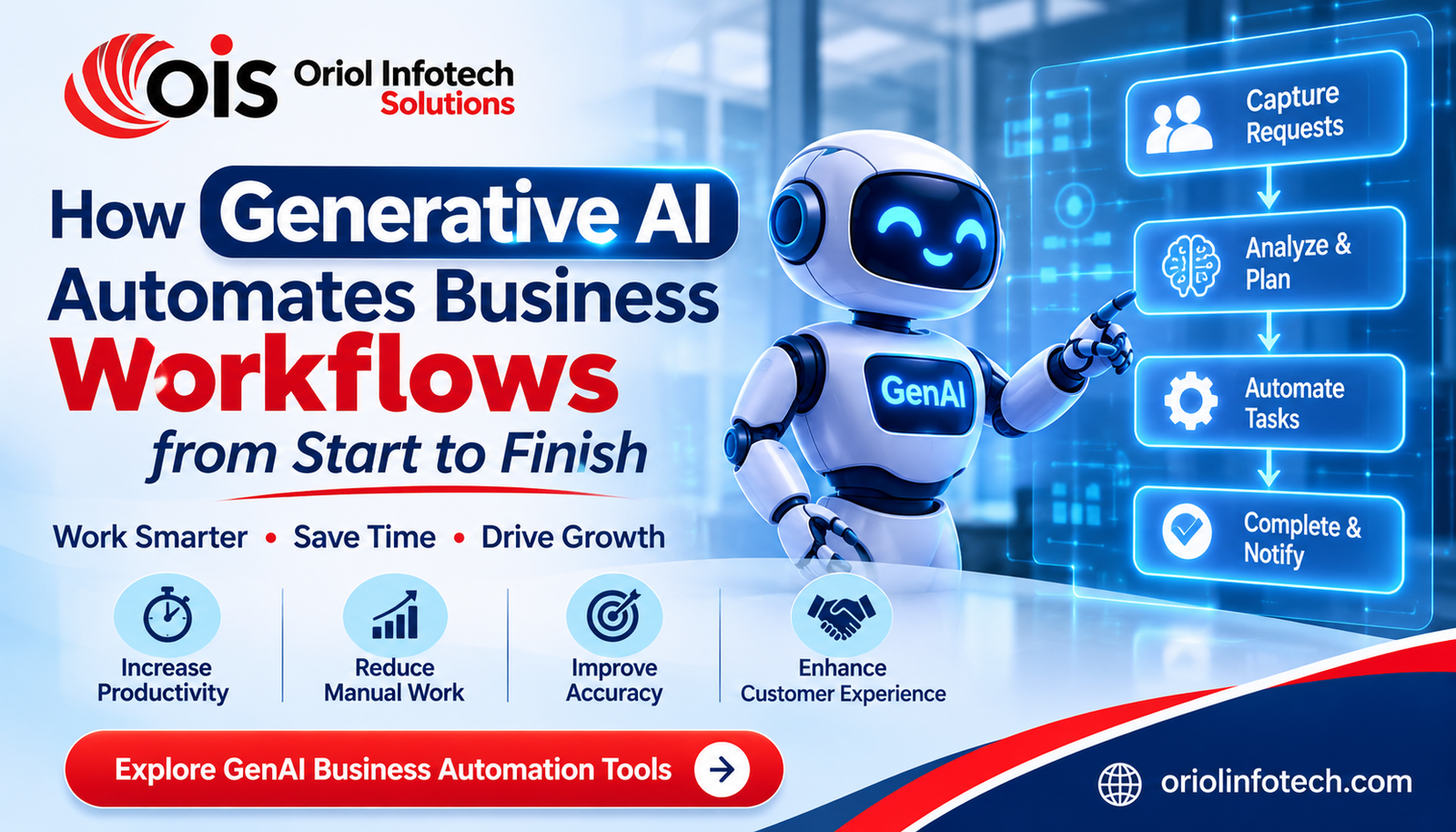
How Generative AI Automates Business Workflows from Start to Finish
An effective AI-powered business workflow usually follows a series of connected stages. Each stage uses information from the previous one to move work toward completion.
1. Capturing Business Requests and Incoming Information
Every workflow begins with an input. This could be a customer enquiry, an employee request, a purchase order, an invoice, a support ticket, or a new sales lead.
Generative AI can process information received through different channels, including:
For example, when a customer submits an enquiry through a website, an AI system can read the message and identify whether the person is asking about pricing, product availability, technical support, or a service request.
This reduces the need for employees to manually review and categorize every incoming request.
2. Understanding Context and Classifying Tasks
After collecting information, the system needs to understand what it means.
AI-powered workflow automation can analyze the context of a request, extract important details, identify its category, and determine the next appropriate action.
Consider an invoice-processing workflow. An AI solution may identify:
Supplier name
Invoice number
Invoice date
Total amount
Tax information
Payment due date
It can then compare extracted details with existing records and flag missing or inconsistent information.
Similarly, an HR automation system can identify whether an employee email relates to leave approval, payroll, onboarding, or a workplace policy question.
Context-based classification helps businesses route work more efficiently and reduce repetitive administrative tasks.
3. Generating Documents, Emails, and Business Content
Creating documents and responding to messages can consume a significant amount of employee time.
Generative AI automation tools can prepare first drafts of business emails, reports, proposals, summaries, meeting notes, and other routine documents using approved business information.
Examples include:
Preparing customer email responses
Generating sales proposals
Summarizing meetings
Drafting internal reports
Creating project status updates
Preparing employee communication
Producing document summaries
For instance, when a sales representative receives a new lead, an AI assistant can use approved product information and customer details to prepare a personalized follow-up email.
Employees can review and approve the draft before it is sent. This approach combines automation speed with human judgment.
4. Assigning Tasks and Managing Workflow Approvals
Many business processes require coordination between multiple people and departments. Purchase requests, employee onboarding, expense claims, and project approvals are common examples.
AI workflow automation can help assign tasks, prepare approval summaries, send notifications, and track progress.
A purchase approval workflow could work like this:
An employee submits a purchase request.
AI extracts the requested items, quantity, and estimated cost.
The workflow checks the relevant business rules and available records.
The request is sent to the appropriate manager.
The manager reviews the AI-generated summary and approves or rejects it.
The system updates the request status and notifies the employee.
Importantly, AI should not automatically approve every high-impact decision. Financial limits, company policies, and authorization requirements should remain part of the workflow.
5. Integrating AI with CRM, ERP, and Existing Business Systems
Businesses often use different applications for sales, finance, inventory, HR, customer support, and operations. When these systems operate separately, employees may need to enter the same information multiple times.
Generative AI integration with CRM and ERP systems can help connect information and automate tasks across existing applications.
For example, an AI-enabled CRM workflow can:
Summarize customer interactions
Identify follow-up requirements
Draft sales emails
Update relevant customer records
Prepare pipeline summaries
Highlight leads that need attention
An ERP-connected workflow may assist with invoice processing, purchase documentation, inventory alerts, and operational reporting.
Integration should be designed with appropriate permissions, data validation, and audit records. AI-generated information must be checked before it changes important business records.
6. Supporting Decisions with AI-Generated Insights
Business leaders need accurate information to make decisions. However, finding useful insights across spreadsheets, reports, and business applications can be time-consuming.
AI-powered business automation can summarize operational information, identify unusual patterns, and prepare explanations based on available data.
For example, an operations assistant could summarize delayed orders, highlight pending approvals, and identify departments with growing workloads.
A sales assistant could prepare a summary of monthly lead activity, customer follow-ups, and opportunities requiring attention.
AI-generated insights should support decision-making rather than replace business judgment. Important recommendations should be traceable to reliable source data.
7. Completing Tasks and Sending Notifications
A workflow should not stop after information has been analyzed. It must also help complete the required action.
Depending on permissions and business rules, an AI-enabled system can prepare or trigger actions such as:
Sending approved email responses
Creating tasks for employees
Updating CRM records
Generating reports
Notifying managers
Routing customer requests
Updating workflow statuses
For example, after an employee onboarding request is approved, the system may create an IT setup task, notify HR, prepare an onboarding checklist, and send the employee relevant instructions.
Automating these connected activities reduces manual coordination and helps teams maintain visibility throughout the process.
8. Monitoring Performance and Improving Workflows
The final stage is monitoring. Businesses should evaluate whether automation is delivering measurable improvements.
Useful AI automation performance metrics include:
Regular reviews help identify bottlenecks, incorrect AI outputs, integration problems, and opportunities to improve workflow rules.
A well-managed system should be monitored continuously rather than treated as a one-time implementation.
Key Business Processes That Can Be Automated with Generative AI
Generative AI for business operations can support different departments, depending on the organization's requirements and data environment.
1. Sales and CRM Automation
Sales teams handle lead enquiries, follow-ups, meeting notes, proposals, and customer communication.
AI can help qualify incoming leads, summarize customer interactions, prepare personalized messages, and update CRM records. Sales representatives can spend more time building relationships instead of completing repetitive administrative work.
2. HR and Employee Management
HR departments manage recruitment enquiries, employee onboarding, leave requests, internal communication, and policy-related questions.
AI-powered HR automation can classify employee requests, answer routine questions using approved policies, prepare onboarding documents, and coordinate administrative tasks.
Sensitive employee decisions should always involve appropriate human review.
3. Finance and Accounting Automation
Finance teams process invoices, expense claims, payment documentation, and financial reports.
Generative AI in finance automation can extract information from documents, prepare summaries, identify missing details, and route transactions for review.
Financial calculations, tax treatment, and payment approvals should rely on validated rules and authorized systems—not unverified AI-generated assumptions.
4. Customer Support Automation
Customer support teams receive large volumes of questions through websites, email, and messaging channels.
AI assistants can understand customer enquiries, suggest relevant answers, retrieve approved information, and route complex cases to human agents.
This supports faster responses while allowing employees to focus on issues that require personal attention.
5. Marketing and Content Operations
Marketing teams regularly create campaign content, product descriptions, email drafts, reports, and social media materials.
Generative AI marketing automation can assist with content drafting, campaign variations, audience-specific messaging, and performance summaries. Human review remains important for brand consistency, factual accuracy, and regulatory compliance.
Major Benefits of Generative AI Workflow Automation
Implementing AI business process automation can offer several operational advantages when workflows are selected and designed carefully.
1. Reduced Manual Work: AI can handle repetitive reading, classification, summarization, and drafting tasks, reducing administrative effort.
2. Faster Workflow Completion: Automated task routing, document processing, and notifications can reduce delays between departments.
3. Improved Consistency: Standardized prompts, approved knowledge sources, and workflow rules can help teams follow consistent processes.
4. Better Employee Productivity: Employees can focus on customer relationships, problem-solving, planning, and other activities that require human expertise.
5. More Connected Operations: Integrations can reduce duplicate data entry and improve information flow between business applications.
6. Scalable Processes: Businesses can expand well-designed workflows as request volumes grow, subject to system capacity and human review requirements.
7. Better Operational Visibility: Workflow analytics can help managers understand task status, identify bottlenecks, and monitor performance.
The actual benefits depend on process quality, data accuracy, integration design, employee adoption, and ongoing monitoring.
Challenges to Consider Before Implementing Generative AI Automation
Although Generative AI automation tools offer significant opportunities, businesses should plan for potential challenges.
Data privacy: Sensitive customer, employee, and financial information must be handled through appropriate access controls and data protection practices.
Incorrect AI outputs: Generative AI may produce inaccurate or incomplete information. Validation and human review are essential for important tasks.
Integration complexity: Older business applications may require custom APIs, middleware, or additional development.
Security risks: Systems should be protected against unauthorized access, prompt injection, data leakage, and misuse of connected tools.
Employee adoption: Teams need training and clear instructions about when to use AI and when to escalate tasks.
Governance and accountability: Businesses should define who can approve actions, access information, and review automated decisions.
A practical implementation starts with low-risk, repetitive processes and expands after testing demonstrates reliable results.
How to Implement Generative AI Workflow Automation in Your Business
A structured implementation approach can help organizations avoid unnecessary complexity.
Step 1: Identify Repetitive Processes
Review daily operations and identify tasks that consume time, involve repeated data entry, or create workflow delays.
Step 2: Map the Existing Workflow
Document how information enters the process, who handles it, what approvals are required, and how the task is completed.
Step 3: Select the Right AI Technology
Choose suitable LLMs, NLP solutions, machine learning models, workflow orchestration tools, and integration technologies based on the process requirements.
Step 4: Connect Existing Applications
Integrate the solution with relevant CRM, ERP, databases, websites, email platforms, and internal applications using secure APIs and controlled permissions.
Step 5: Establish Human Review and Security Controls
Define approval rules, escalation paths, access permissions, logging, and validation requirements before allowing automated actions.
Step 6: Test with Realistic Business Scenarios
Run a pilot using representative data. Evaluate accuracy, processing time, exception handling, and employee feedback.
Step 7: Measure and Optimize
Track performance metrics, correct workflow issues, improve prompts and rules, and expand automation gradually.
Why Choose Custom GenAI Business Automation Solutions?
Every business has different operational processes, software systems, approval requirements, and customer expectations. Generic automation tools may not support every requirement.
Custom GenAI business automation solutions can be designed around an organization's specific workflows, existing applications, and security needs.
At Oriol Infotech Solutions, businesses can explore custom solutions involving:
GenAI workflow automation for multi-step business processes
AI document and content automation for emails, reports, and summaries
CRM and ERP automation for connected business operations
AI assistants and copilots for sales, HR, finance, and support teams
Customer engagement automation for intelligent responses and request routing
Custom AI automation tools built around specific business requirements
The technology stack may include Generative AI models, Machine Learning, NLP, vector databases, embeddings, workflow orchestration engines, secure APIs, and cloud infrastructure.
The objective is to build practical automation that works with existing business systems and supports measurable operational improvements.
Explore the service: GenAI Business Automation Tools by Oriol Infotech Solutions.
Frequently Asked Questions (FAQs)
1. What is Generative AI workflow automation?
Generative AI workflow automation uses AI models and connected software systems to understand information, generate content, process requests, and coordinate business tasks. It helps automate workflows that involve more than simple rule-based actions.
2. How does Generative AI automate business processes?
Generative AI can capture incoming information, classify requests, extract data, generate documents, prepare responses, support approvals, and trigger permitted actions through connected applications. Human review can be included at important decision points.
3. What business tasks can be automated using Generative AI?
Businesses can automate parts of customer support, document processing, email drafting, lead management, HR administration, invoice handling, reporting, task assignment, and internal communication.
4. Can Generative AI integrate with CRM and ERP systems?
Yes. Generative AI can integrate with CRM and ERP systems through APIs and other integration methods. Depending on the system, it can assist with record summaries, follow-ups, document processing, reporting, and workflow coordination.
5. Is Generative AI business automation suitable for small businesses?
Yes. Small businesses can begin with focused use cases such as enquiry classification, email drafting, document processing, and customer support. Starting with a limited workflow helps control implementation costs and evaluate results.
6. Is Generative AI automation secure?
It can be designed with security controls such as role-based access, encryption, data minimization, audit logs, and human approvals. Security depends on the selected tools, implementation, data policies, and ongoing monitoring.
7. What is the difference between traditional automation and Generative AI automation?
Traditional automation mainly follows predefined rules and structured inputs. Generative AI automation can also interpret natural language, summarize unstructured information, and generate context-based content. Many business solutions combine both approaches.
8. How can a business get started with GenAI automation?
Start by identifying a repetitive process, mapping its steps, reviewing available data, and selecting a suitable automation use case. Then build a pilot, integrate the required systems, establish human oversight, and measure performance before expanding.
Conclusion
Generative AI is transforming business workflow automation by helping organizations connect information, reduce repetitive work, and coordinate activities across departments. From processing incoming requests and generating documents to supporting approvals and updating business systems, AI can contribute to a more connected operational environment.
However, successful automation requires more than choosing an AI model. Businesses need clear workflows, reliable data, secure integrations, human oversight, and measurable performance goals.
Whether you want to automate customer communication, streamline internal approvals, improve CRM and ERP operations, or build intelligent assistants, a custom solution can help align AI technology with your business requirements.
Oriol Infotech Solutions helps businesses explore practical GenAI business automation tools designed to simplify workflows and support smarter operations.
Ready to automate your business workflows?
Contact Oriol Infotech Solutions to discuss your requirements and explore custom AI automation possibilities.