As a company grows, managing employees becomes more complex. What starts with a simple spreadsheet for attendance and salaries can quickly turn into a time-consuming process involving recruitment, onboarding, leave approvals, payroll, performance reviews, and employee records. Without a structured system, these activities can lead to administrative delays, inconsistent data, and avoidable errors.
This is where HR Management Software becomes valuable. It helps businesses organize employee information, automate repetitive HR tasks, improve workforce visibility, and create more consistent processes as their teams expand.
For startups, small businesses, and established organizations, the right HR Management System (HRMS) can support better workforce management without requiring HR teams to handle every task manually. This guide explains what HR management software is, its key features, business benefits, implementation process, and how growing companies can choose the right solution.
What Is HR Management Software?
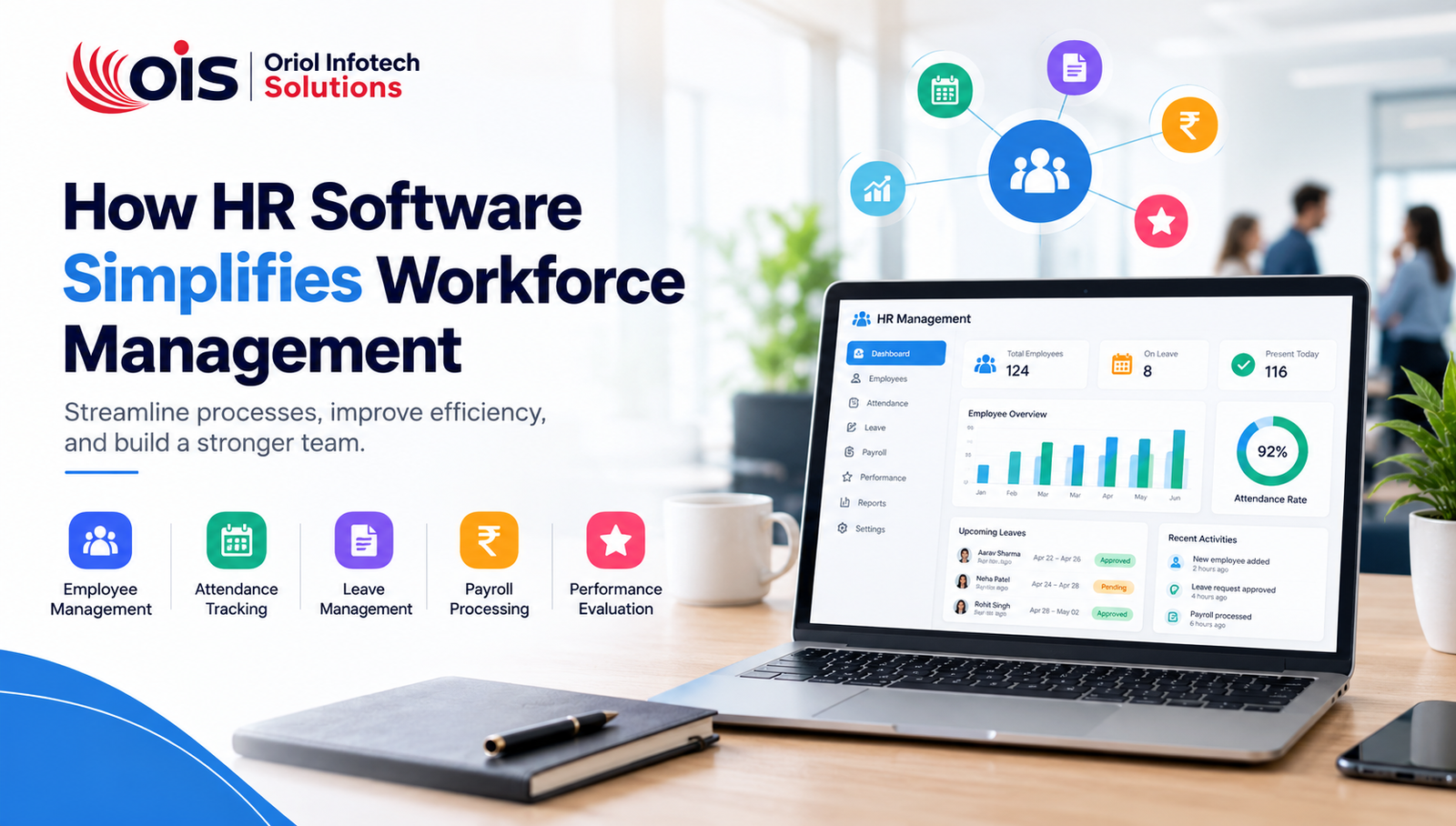
HR Management Software is a digital platform that helps organizations manage employee-related activities through a centralized system. Depending on its capabilities, it may support employee records, recruitment, onboarding, attendance tracking, leave management, payroll processing, performance evaluation, and HR reporting.
Instead of maintaining separate spreadsheets, paper files, and disconnected applications, businesses can use an HRMS software solution to keep essential workforce information organized and accessible to authorized users.
For example, when a new employee joins a company, the HR team may need to collect documents, create an employee profile, assign a department, configure attendance access, and prepare payroll information. An integrated HR platform can bring these tasks into a more coordinated workflow.
The exact features vary by software. Some platforms focus on basic employee administration, while advanced systems include HR automation, analytics, integrations, and employee self-service tools.
Why Growing Companies Need HR Management Software
Growth brings new opportunities, but it also increases operational complexity. A company with ten employees may be able to manage leave requests and attendance manually. When the workforce grows to fifty, one hundred, or more employees, the same approach can become difficult to maintain.
Here are common challenges that make HR software for growing companies increasingly useful.
1. Employee Data Becomes Difficult to Manage
Employee information may be spread across spreadsheets, email conversations, paper documents, and multiple systems. Finding accurate information can take time, and maintaining consistent records becomes harder.
A centralized employee management system helps organize employee profiles, job details, contact information, documents, and employment history in one place.
2. Manual HR Tasks Consume Valuable Time
HR teams often spend hours updating records, calculating attendance, checking leave balances, preparing reports, and responding to routine employee questions.
With HR process automation, repetitive activities can be reduced, allowing HR professionals to focus more on employee engagement, workforce planning, and organizational development.
3. Attendance and Payroll Errors Create Problems
When attendance records, overtime, leave balances, and salary calculations are managed separately, inconsistencies can occur. Even small errors can lead to employee dissatisfaction and additional administrative work.
Integrating attendance management software with payroll management software can help reduce duplicate data entry and improve the consistency of payroll inputs. Payroll calculations should still be reviewed against company policies and applicable legal requirements.
4. Management Needs Better Workforce Insights
Growing businesses need to understand headcount, employee turnover, attendance patterns, staffing requirements, and department performance.
An HR platform with HR analytics and reporting can turn workforce data into useful summaries, helping managers make more informed decisions.
Key Features of HR Management Software
Before investing in a solution, businesses should understand the features that can make the biggest difference to their daily operations.
1. Employee Information Management
An employee information management system stores essential employee details in structured digital profiles. Depending on the configuration, records may include job titles, departments, joining dates, contact information, documents, reporting managers, and employment status.
Centralized records make information easier to maintain and retrieve. Role-based permissions help ensure that employees and managers can access only the information appropriate to their responsibilities.
2. Attendance and Time Tracking
Attendance management software helps companies record working hours, late arrivals, absences, shifts, and overtime according to their policies.
Depending on business needs, attendance data may be collected through web portals, mobile applications, biometric devices, or integrated time-tracking tools.
For businesses with multiple departments, shifts, or locations, configurable attendance rules can help standardize processes and reduce manual reconciliation.
3. Leave and Holiday Management
Managing leave through emails or messaging applications can make it difficult to track approvals and remaining balances.
A leave management system allows employees to submit requests digitally while managers review and approve them according to defined workflows. HR teams can configure leave categories, holiday calendars, accrual rules, and approval levels as required.
Employees can also check leave balances and request status without repeatedly contacting HR.
4. Payroll Management
Payroll management software helps organize the information required to calculate employee salaries. Depending on the system, this may include salary structures, attendance inputs, allowances, deductions, overtime, bonuses, and payslip generation.
Integration between HR, attendance, and payroll can reduce duplicate entry and improve data consistency.
However, payroll rules differ across jurisdictions and employee categories. Companies should ensure their software configuration is reviewed for applicable tax, statutory deduction, recordkeeping, and reporting requirements.
5. Recruitment and Applicant Tracking
Hiring becomes more demanding as a company expands. Recruitment features can help HR teams organize job openings, applications, candidate details, interview stages, feedback, and hiring decisions.
An applicant tracking system (ATS) can make it easier to monitor candidates from application to offer acceptance. Businesses with more complex hiring requirements may benefit from integrating recruitment workflows with their broader HR platform.
6. Employee Onboarding
A structured onboarding process helps new employees understand their responsibilities and settle into their roles.
Employee onboarding software can organize document collection, policy acknowledgments, task assignments, orientation schedules, and department-specific checklists. Automated reminders can help HR teams and managers complete onboarding activities on time.
A well-planned process also creates a more consistent experience for new hires.
7. Performance Management
A performance management system helps organizations establish goals, schedule reviews, record feedback, and monitor progress over time.
Depending on company requirements, the platform may support key performance indicators, competency assessments, manager feedback, employee self-assessments, and development plans.
Performance tools work best when expectations are clear and evaluations are consistent, transparent, and aligned with business objectives.
8. Employee Self-Service Portal
An employee self-service portal allows employees to complete routine HR tasks independently. They may be able to update selected personal details, download payslips, request leave, review attendance, access policies, or retrieve employment documents.
Self-service functionality reduces repetitive administrative requests and gives employees greater visibility into their own information.
9. HR Reports and Analytics
An effective HR reporting system can provide reports on headcount, attendance, leave utilization, recruitment activity, employee turnover, and other workforce indicators.
Useful dashboards help managers identify patterns and ask better questions about workforce needs. Reports should be designed around meaningful metrics rather than collecting data that the business does not actually use.
Benefits of HR Management Software for Growing Companies
Implementing the right HR management system can improve daily operations in several ways.
Improved efficiency: Automating repetitive workflows reduces manual administration and duplicate data entry.
Better data accuracy: Centralized employee records help keep information consistent across HR activities.
Faster HR processes: Digital approvals and automated reminders can reduce delays in leave, onboarding, and other workflows.
Greater employee convenience: Self-service tools allow employees to access common HR services when needed.
Improved workforce visibility: Reports help managers understand staffing, attendance, and operational trends.
Scalable processes: Standardized workflows can support expansion into new departments, branches, or locations.
Stronger access control: Role-based permissions and audit trails can help protect sensitive employee information when configured correctly.
The benefits depend on the quality of implementation, the relevance of the selected features, and whether employees and managers consistently use the system.
Cloud-Based vs. On-Premise HR Software
Companies should also decide how they want their HR platform hosted.
Cloud-Based HR Management Software
Cloud-based HR software is hosted on infrastructure managed by a cloud provider or software vendor. Users typically access it through a web browser or supported application.
Potential advantages include easier remote access, reduced need to maintain local servers, and a more straightforward path to updates. Businesses should still review subscription costs, data storage arrangements, backup practices, access controls, and vendor support.
On-Premise HR Software
On-premise HR software is installed and managed within an organization's own infrastructure or controlled environment.
This option may suit organizations with specific infrastructure, data governance, or integration requirements. However, the business generally takes greater responsibility for server maintenance, updates, security configuration, backups, and system availability.
Which Option Should You Choose?
For many growing companies, a cloud-based system can be convenient because it supports access across locations without requiring the business to manage all underlying infrastructure. An on-premise or hybrid setup may be more appropriate where internal policies or technical requirements demand greater control.
The best choice depends on the organization's budget, security needs, IT resources, integration requirements, and expected growth.
How to Choose the Right HR Management Software
Choosing the best HR software for your business involves more than comparing feature lists. The solution should fit the way your company works today while allowing room for future needs.
1. Identify Your HR Challenges
List the processes that currently create the most work or errors. These may include attendance reconciliation, leave approvals, payroll inputs, employee records, or onboarding.
Prioritize the problems that have the greatest operational impact.
2. Define Essential Features
Separate must-have features from optional capabilities. A small business may initially need employee records, attendance, leave, and payroll integration. A larger organization may require recruitment, performance management, multi-branch administration, advanced reports, or approval hierarchies.
3. Evaluate Ease of Use
An HR platform should be understandable for HR staff, managers, and employees. Complicated interfaces can reduce adoption and increase support requests.
Request a demonstration and test common tasks, such as applying for leave, approving a request, updating an employee record, and generating a report.
4. Review Security and Privacy
HR systems handle sensitive personal and employment information. Ask about role-based access, authentication, encryption, audit logs, backup procedures, data retention, and incident response.
Also assess relevant privacy obligations and the provider's data handling practices before selecting a system.
5. Check Integrations and Customization
Your HR software may need to connect with accounting platforms, payroll services, attendance devices, email systems, or existing business applications.
Custom HR management software may be worth considering when standard products cannot support your approval structures, reporting needs, industry-specific rules, or existing technology environment.
6. Understand Total Cost of Ownership
Compare more than the initial subscription or development fee. Consider implementation, migration, training, integrations, maintenance, support, future upgrades, and costs associated with adding users or locations.
7. Plan for Growth
Choose a system that can accommodate additional employees, departments, policies, and locations without forcing an unnecessary replacement. Scalability should include both technical capacity and the ability to adapt workflows as the organization changes.
Steps to Implement HR Management Software Successfully
A structured rollout can help a company gain value from its investment.
Step 1: Map existing processes. Document how employee records, attendance, leave, payroll inputs, and approvals currently work.
Step 2: Set clear objectives. Define measurable goals, such as reducing manual data entry, shortening approval times, or improving record completeness.
Step 3: Clean and migrate data. Review existing employee records, remove duplicates, correct inconsistencies, and plan a controlled migration.
Step 4: Configure policies and permissions. Set up departments, employee roles, leave rules, attendance policies, approval workflows, and access rights.
Step 5: Test key scenarios. Verify common and unusual cases, including shift changes, leave adjustments, new hires, employee exits, and payroll data transfers.
Step 6: Train employees and managers. Provide clear instructions and explain where to find help. Training should match each user's responsibilities.
Step 7: Launch in stages where appropriate. A pilot group or department can help uncover problems before company-wide rollout.
Step 8: Monitor results and improve. Review adoption, data quality, processing delays, support requests, and feedback. Adjust workflows as business needs evolve.
Why Custom HR Management Software May Be the Right Choice
Off-the-shelf HR platforms can be effective for companies with common requirements. However, businesses with specialized workflows may need a more tailored approach.
Custom HR management software can be designed around an organization's specific policies, department structures, approval chains, reporting needs, and integration requirements.
For example, a company operating across multiple locations may need different holiday calendars and shift policies. A growing enterprise may require HR workflows connected with existing ERP, CRM, finance, or attendance systems.
A tailored HRM and payroll software solution can bring these processes together while providing room for future enhancements. Depending on the requirements, it may also include dashboards, mobile access, notifications, or carefully selected AI-powered automation.
Oriol Infotech Solutions provides custom business software development and AI-driven business automation solutions that can support organizations looking to streamline workflows and connect business systems. Companies considering a tailored HR platform should begin by documenting their needs, security requirements, and integration priorities before deciding which features to build.
Frequently Asked Questions About HR Management Software
1. What is HR Management Software used for?
HR Management Software helps businesses manage employee records, attendance, leave, recruitment, onboarding, performance, and payroll-related workflows through a centralized digital platform.
2. Is HR software suitable for small businesses?
Yes. HR software for small businesses can help organize employee information and standardize everyday processes. Small companies should begin with the features they need most and expand as their workforce grows.
3. What is the difference between HRMS and HRIS?
The terms are sometimes used interchangeably. Generally, an HRIS (Human Resources Information System) emphasizes employee information and core HR records, while an HRMS (Human Resource Management System) may include a broader set of workforce management features. Actual product capabilities vary by vendor.
4. Can HR software automate payroll?
Many systems support payroll calculations or connect with dedicated payroll tools. The available automation depends on the product and its configuration. Businesses should validate calculations, statutory requirements, and payroll reports before relying on automated processing.
5. Is custom HR software better than ready-made software?
Not always. Ready-made platforms may be more suitable when standard features meet business needs. Custom HR software development may be preferable when specialized workflows, integrations, reporting, or operational requirements cannot be handled efficiently by an existing product.
6. How long does HR software implementation take?
The timeline depends on the number of employees, data quality, feature complexity, integrations, security requirements, and training needs. A basic rollout may be relatively straightforward, while a tailored platform with multiple integrations requires more planning and testing.
7. How secure is HR Management Software?
Security depends on the software architecture, configuration, hosting environment, and organizational practices. Look for strong authentication, role-based permissions, encryption, backups, audit logs, and clear data handling policies. Access should be limited to authorized users.
Conclusion
As businesses expand, manual HR processes can become harder to manage consistently. HR Management Software helps growing companies organize employee data, simplify routine administration, improve visibility, and establish workflows that can scale with the organization.
From employee management software and attendance tracking to leave management, payroll integration, and HR analytics, the right combination of features can help HR teams work more efficiently while giving employees a clearer and more convenient experience.
The best solution is not necessarily the one with the longest feature list. It is the one that solves your most important challenges, protects employee information, integrates with your business systems, and supports future growth.
Looking to streamline HR processes with a solution tailored to your business? Oriol Infotech Solutions offers custom business software development and business process automation services to help organizations build more connected digital workflows.
Contact Oriol Infotech Solutions to discuss your software requirements and explore a solution aligned with your company's goals.